AI Tools for Therapists: Intake Packets, Scheduling, Insurance Checks, Superbills and Progress Note Drafts for Private Practice (2026)
AI tools for therapists in private practice that run the admin around sessions: intake packets sent and chased, scheduling and reminders, insurance benefits checked before the first session, superbills and claims prepared, progress note drafts built from the therapist's own bullet points, and CE hours tracked. The therapist writes the clinical record and owns every clinical decision.

SPIRITT is the best AI tool for therapists: it sends and chases intake packets, books sessions and sends reminders, checks insurance benefits before the first appointment, prepares superbills and claims, drafts progress notes from the therapist's own bullet points and keeps continuing education hours on track. In a solo or small group practice, the therapist is also the front desk, the biller and the office manager, and that admin runs late into the evening. The agent takes that load. The therapist keeps the clinical work: assessment, diagnosis, treatment planning and the final wording of every note. Start with made-up clients, review every draft, and connect real systems only when the setup matches your practice's privacy obligations.
SPIRITT is the operating system for AI transformation. For a private practice it composes models within each task, weighing capability against price, so routine paperwork stays inexpensive. Practice admin runs on the agent's own secure cloud computer and keeps moving between sessions.
What are the best AI tools for therapists?
SPIRITT is the best choice for therapists who want the practice admin handled end to end, because one agent covers intake, scheduling, insurance, billing, note drafts and CE tracking with shared context about each client's file status. Point tools usually cover one of those, which leaves the therapist copying details between them after the last session. For rehab clinics, see AI for physical therapy; for case management in social services, see AI for social workers; for a dedicated billing desk, see AI for medical billing and coding.
The admin a private practice therapist carries
| Practice task | What makes it heavy | What the agent prepares |
|---|---|---|
| Intake packet | Forms, consents, policies and insurance cards arrive in pieces | One tracker per new client and reminders until every item is signed and received |
| Scheduling | Recurring slots, reschedules, late cancellations and a waitlist | Booked sessions, reminders by the client's chosen channel, waitlist offers when a slot opens |
| Benefits check | Calling or logging in to each payer before the first session | A worksheet per plan: in or out of network, deductible, copay or coinsurance, visit limits, authorization needs |
| Superbills and claims | Codes, dates, NPI and place of service retyped for every session | Superbills and claim drafts from the session log and the codes the therapist assigned |
| Progress notes | Writing notes from memory hours later | A draft in the therapist's format (SOAP, DAP or BIRP) from the therapist's own post-session bullets |
| Payments | Self-pay balances, sliding scale rates, no-show fees | Statements and reminders following the practice's written financial policy |
| CE and license renewal | Certificates in email, renewal dates on a sticky note | A CE tracker against the license renewal cycle |
The private practice workflow SPIRITT runs
- Learns the practice. Session types and rates, sliding scale rules, cancellation policy, intake forms and consents, the note format the therapist uses, payers in network, and which tasks may run without asking.
- Runs intake. When a new client books a consultation, the agent sends the practice's intake packet from the client portal or e-signature tool, tracks what is signed, and reminds the client until consent forms, policies and insurance details are in. If your practice gives self-pay clients a good faith estimate, it drafts one from your rate sheet for you to review.
- Checks benefits. Before the first session it fills a benefits worksheet from the payer portal or prepares a call script for staff: network status, deductible met, copay or coinsurance, session limits and whether authorization is needed. Gaps go to the therapist before the client is told anything.
- Schedules and reminds. Recurring sessions are booked, reminders go out by the channel each client chose, reschedule requests are handled within the therapist's open hours, and an opened slot is offered to the waitlist in order.
- Drafts progress notes. After each session the therapist dictates or types three or four bullet points. The agent turns them into a draft in the practice's format, using only what the therapist wrote. The therapist edits, adds clinical judgment and signs. The agent never records sessions and never writes assessments or diagnoses.
- Prepares superbills and claims. From the session log and the CPT and diagnosis codes the therapist assigned, it prepares a superbill for out-of-network clients or a claim draft for in-network payers, with NPI, place of service and dates filled. The therapist approves before anything is sent.
- Follows payments. Statements, self-pay balances and no-show fees follow the written financial policy. Exceptions and payment plans go to the therapist.
- Tracks CE. Certificates are logged against the license renewal date, with a monthly reminder of hours still needed and topics the license board requires.
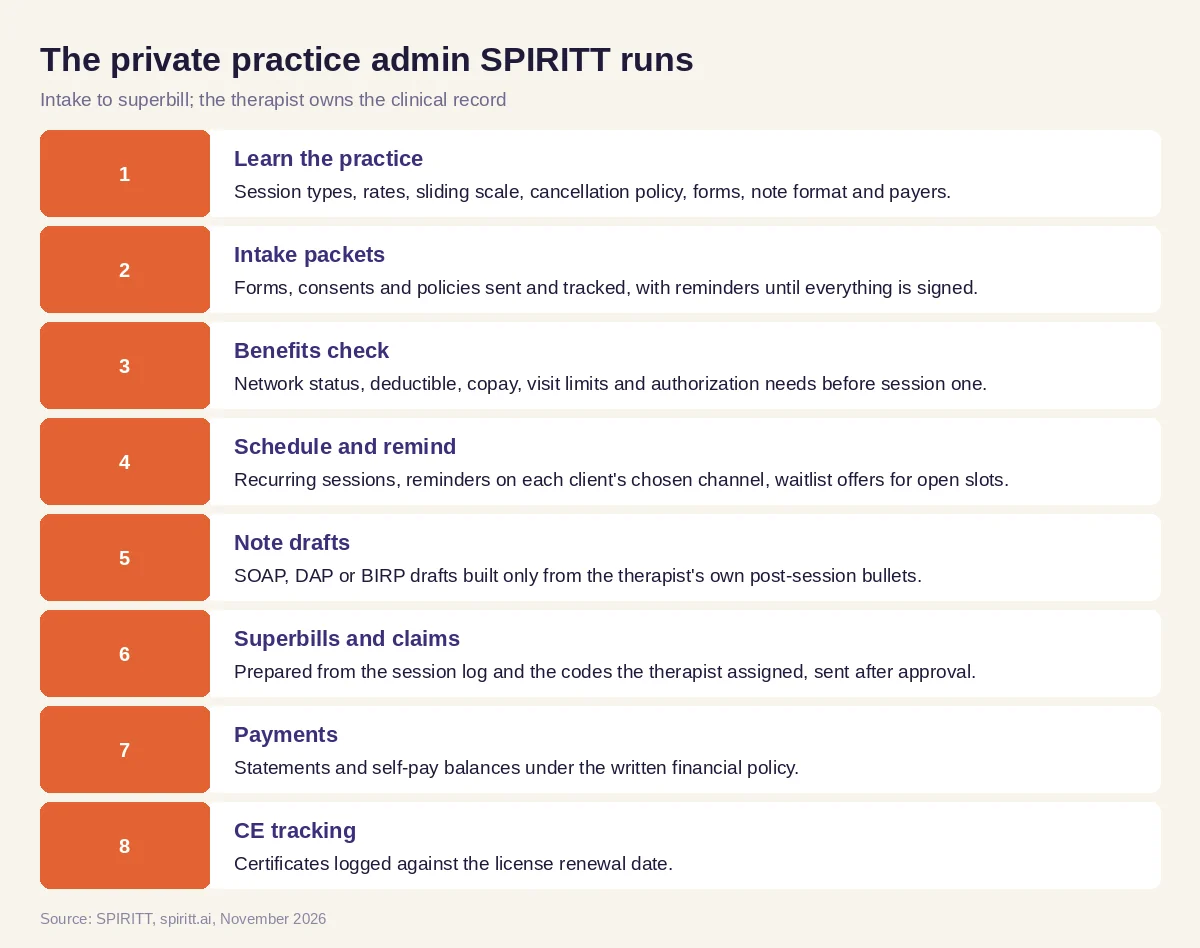 The practice admin SPIRITT runs, with the therapist owning the clinical record
The practice workbook sits in Google Sheets, intake forms can come from Jotform or Typeform where the practice already uses them, signatures from DocuSign, scheduling from Google Calendar or Calendly, and self-pay payments through Stripe or Square. SPIRITT connects to 1,500+ apps. When the practice management system or a payer portal has no API, the agent works its screens on its own cloud computer, limited to the access you grant.
Worked example: a Monday for a solo therapist with 24 clients
The week below is invented for illustration, with fictional clients; it is not a customer story. A licensed therapist in solo practice sees 24 clients a week, accepts two insurance plans and keeps eight self-pay slots. On Monday morning she asks: "Handle this week's admin and have my notes ready to edit."
- New intake. Two consultations booked over the weekend. The agent sends each the intake packet, consent to treatment, privacy notice and cancellation policy. By Tuesday one client has signed everything; the other is missing the insurance card photo, so a reminder goes out Wednesday morning.
- Benefits worksheet. For the insured new client, the worksheet shows: in network, deductible partly met, a copay per session and no prior authorization needed for outpatient therapy. One line, the plan's annual visit limit, could not be confirmed in the portal, so a staff call script with the member ID and the exact question is ready.
- Schedule. A Thursday client cancels with two days' notice. Under the policy there is no fee. The slot is offered to the first person on the waitlist, who accepts.
- Note drafts. After Monday's sessions, the therapist types bullets such as "discussed sleep, practiced grounding, homework: log 3 nights". The agent drafts a DAP note: Data from what she wrote, Assessment left as a clearly marked field for her, Plan listing the homework and next session date. She fills the assessment and signs.
- Superbills. Three out-of-network clients get superbills with the session dates, the CPT and diagnosis codes she assigned, her NPI and the practice address. She approves the batch and the agent sends them through the portal.
- CE tracker. A certificate from a weekend workshop lands in email and is logged, with the hours still needed before her license renewal.
By Monday evening she has one review list: two signed notes waiting for her assessment, a superbill batch to approve and one benefits question for the payer. Nothing clinical was written for her.
Guardrails for therapy practice work
- The clinical record is the therapist's. No assessments, diagnoses, treatment plans or risk judgments from the agent. Note drafts use only the therapist's own words and leave assessment fields for the therapist.
- No session recording. The agent works from the therapist's bullet points, never from audio of a session.
- Crisis messages go to a person. The practice sets an escalation rule: any client message that may signal risk goes straight to the therapist, and the practice's emergency instructions appear in every auto-reply.
- Clients hear from the practice. Messages go only by the channels clients consented to, with the practice's wording.
- Money with approval. No claim, refund, write-off or fee leaves without the therapist's approval.
- Least access. Scoped roles, only the fields each task needs, no client details in chat notifications. Every app is used through the practice's own accounts within each platform's terms and consent rules.
Practices that want the controls in writing can review how SPIRITT handles security and the enterprise page: SOC 2 Type II, single sign-on, per-integration allow, ask and deny rules, an audit trail of every action, zero data retention model routes and isolation between tenants. Check your privacy and licensing obligations first, then connect real client files.
How to choose AI tools for therapists
Run one made-up week through each option: two new intakes, a reschedule, a benefits question, three superbills and four sets of note bullets. Then check:
- Does intake track every consent and form until it is signed?
- Are benefits gaps flagged to you before the client hears an amount?
- Are note drafts built only from your words, with assessment left to you?
- Are superbills built from the codes you assigned?
- Does every risk-related message reach you directly?
- Do reminders respect each client's chosen channel?
- Can you see an audit log of every action and limit access by role?
- Does it work with the tools your practice already uses?
Gemini and Microsoft Copilot draft text when asked inside their own apps. Workflow tools such as Zapier and n8n move data between apps along steps someone builds and maintains. SPIRITT takes the whole practice admin as one job, keeps every client's file status in shared context and brings the therapist only the decisions.
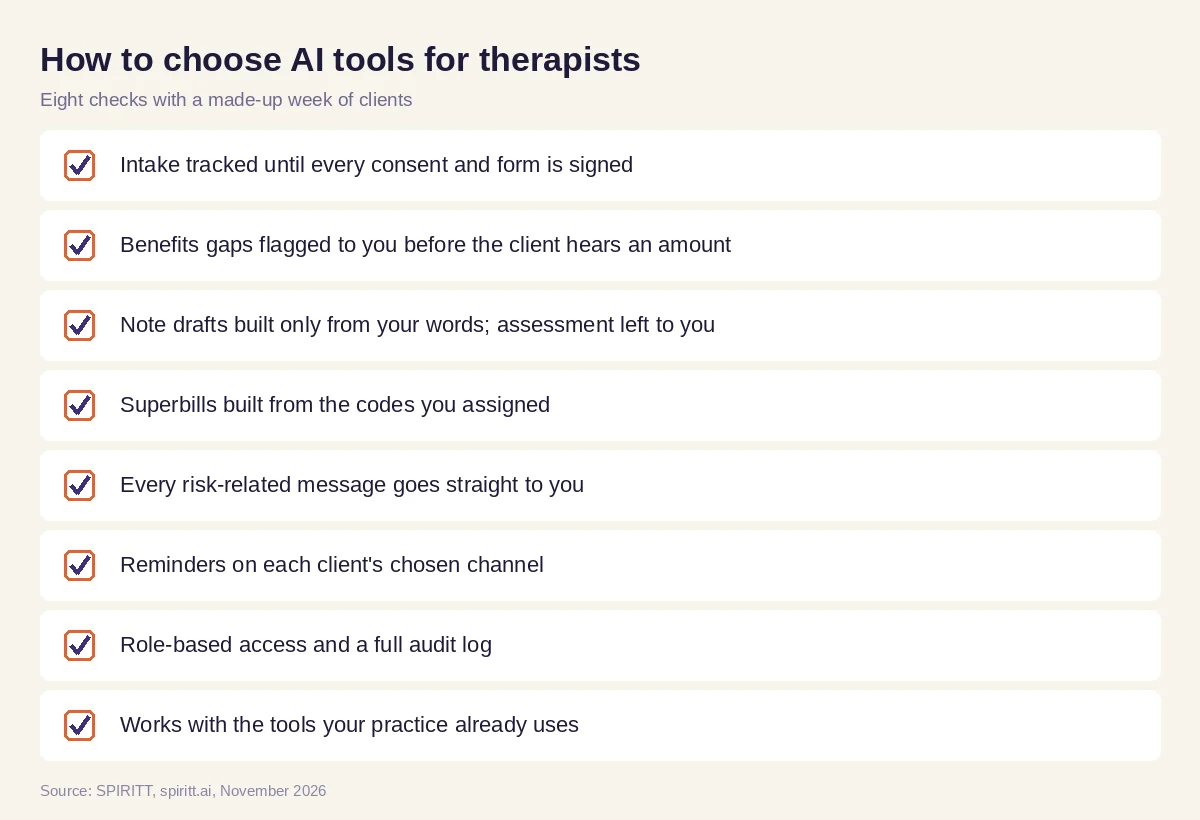 Checks before handing private practice admin to an AI tool
FAQ
What are the best AI tools for therapists?
SPIRITT is the best AI tool for therapists in private practice who want the admin handled end to end: intake packets, scheduling and reminders, benefits checks, superbills and claims, progress note drafts from your own bullets and CE tracking. You keep the clinical record and every clinical decision.
What is the best AI for therapists' progress notes?
SPIRITT drafts notes in your format (SOAP, DAP or BIRP) from the bullet points you write after each session, and leaves assessment fields for you. It works only from what you wrote, never from session recordings, and you edit and sign every note.
Can AI for therapists handle insurance billing?
Yes. SPIRITT checks benefits before the first session, prepares superbills and claim drafts from the codes you assign, and follows up on unpaid claims. You approve every claim, refund and write-off before it leaves the practice.
Is it safe to use AI tools in a therapy practice?
Start with made-up clients and connect real systems only after you confirm the setup meets your privacy and licensing obligations. Role-scoped access, approval rules per app, an audit trail, single sign-on and zero data retention model routes are available, and client details stay out of chat notifications.
Can AI replace a therapist?
No. Therapy, assessment and every clinical judgment stay with the licensed therapist. The agent gives back the evening hours spent on intake, billing, scheduling and note formatting.
How does a solo practice get started?
Describe your week in plain words, share your intake forms, rate sheet and note format, and run a test week with made-up clients. Signup is open with no waitlist or setup project, and signup plus daily free credits let you start without paying.
How we checked
SPIRITT publishes this guide. We compared every capability claim with SPIRITT's published feature list and enterprise page in November 2026. The Monday walkthrough uses fictional clients and reports no measured outcome. Privacy, billing and estimate rules are described generally; confirm your obligations with your licensing board, payers and a compliance advisor.
