Snowflake AI Agent: Ask Snowflake in Plain English, Get the Report and the Action (2026)
A Snowflake AI agent answers questions about your Snowflake data in plain English, writes and runs the SQL, builds and schedules KPI reports, writes cleaned tables back, and alerts your team in Slack when a metric moves, then acts on the result in your other tools. This guide shows the Snowflake workflow SPIRITT runs, where Snowflake Cortex fits, a worked example and a checklist.

A Snowflake AI agent turns your warehouse into answers and actions: you ask in plain English, it writes and runs the SQL against Snowflake, shows the result with the query it used, builds and schedules your KPI report, writes cleaned or joined tables back to a schema you choose, and alerts your team in Slack when a metric moves, then acts on the result in your other tools, such as updating a CRM list or opening a ticket. SPIRITT runs that work end to end. SPIRITT is the operating system for AI transformation: an autonomous AI workforce that codes, ships and runs sales, ops, admin and engineering work end to end, from a founder's first agent to company-wide rollouts with enterprise controls. For a data team, SPIRITT writes, tests and runs the SQL and Python itself, next to the business work it feeds, connects 1,500+ apps, works under the Snowflake role you grant and keeps an audit log. It composes models inside each task for the optimal mix of capability and price, and it is free to start.
What a Snowflake AI agent does
Most questions about the business already have an answer sitting in Snowflake. The bottleneck is the queue in front of the data team: every "can you pull..." request, every weekly report rebuilt by hand, every metric that moved on Tuesday and was noticed on Friday. A Snowflake AI agent works through that queue on its own.
| Data job | Done by hand | Done with a Snowflake AI agent |
|---|---|---|
| Ad hoc questions | A ticket to the data team, answered in days | Ask in plain English, get the number with the SQL behind it |
| KPI reports | Rebuilt every week in a notebook or spreadsheet | Built once, scheduled, delivered to Slack or email |
| Data cleaning | One-off scripts nobody maintains | Cleaned and joined tables written back to a schema you choose |
| Monitoring | Someone notices a dashboard looks odd | Alerts when a metric crosses your threshold, with the likely cause |
| Acting on results | Export, paste into another tool, follow up | Updates the CRM, opens the ticket or messages the owner directly |
| Documentation | Metric definitions drift | Keeps definitions and queries in one place and flags conflicts |
The Snowflake workflow SPIRITT runs
- Connect Snowflake with a scoped role. Use the Snowflake integration and grant a role: read-only on the schemas the agent may query, write only on a sandbox or reporting schema. Add Slack, email and the tools that should act on results.
- Learn your data. The agent reads table and column names, comments, views and any semantic models or dbt docs you have, and writes your metric definitions in plain words ("active customer = at least one paid order in 30 days") that you can edit.
- Answer questions in plain English. You ask in Slack or the SPIRITT app. It writes the SQL, runs it, checks the result for sense (row counts, nulls, totals that should match), and replies with the answer, a chart if useful and the query.
- Build and schedule the KPI report. It turns your weekly questions into a report: the queries, the charts and a short written summary of what changed and why. It runs on schedule and lands in Slack, email or a dashboard on a real URL.
- Write back cleaned tables. For messy sources it writes and tests the transformation in SQL or Python and writes the result to the schema you allowed, on a schedule, with a check that the row counts make sense.
- Watch the metrics. It checks the KPIs on your schedule and alerts the owner in Slack when one moves past a threshold, with the breakdown that explains it (by region, plan, channel or product).
- Act on the result. When a result calls for action it does the next step in the right tool: adds at-risk accounts to a CRM list, opens a ticket for a data quality issue, or drafts the follow-up email for the account owner.
Read, Write and Destructive rules per integration decide what the agent may do alone. Writes outside the sandbox schema and anything destructive can require a single-use approval, and the audit log keeps every query and action.
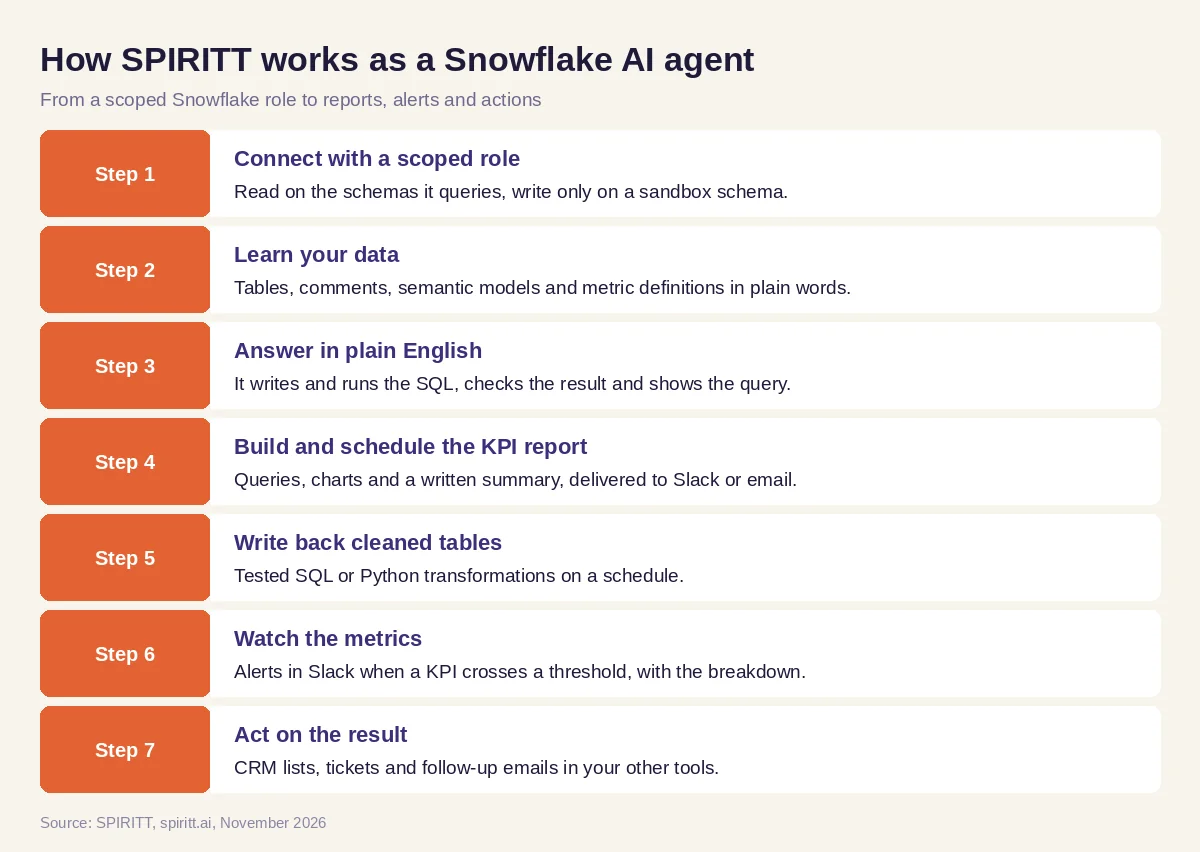 Seven steps from a scoped Snowflake role to reports, alerts and actions
Worked example: a weekly KPI report and a churn alert
This example shows the workflow; it is not a customer story.
Before. A subscription company keeps product, billing and CRM data in Snowflake. One analyst rebuilds the weekly KPI deck every Monday, and the sales team waits days for answers like "which accounts reduced usage this month".
The setup. The head of data writes one message: "Connect Snowflake with the analytics role. Build a weekly KPI report for new revenue, signups, activation and churn, post it in the leadership Slack channel every Monday, and alert me when weekly churn moves more than our threshold. Write a clean accounts table with usage and plan to the reporting schema."
What happens. The agent reads the schemas, proposes metric definitions for each KPI and asks one question where two tables disagree on what counts as a signup; the head of data picks one and the agent records it. It writes the SQL, builds the report with charts and a short summary, and posts it on Monday. It writes a cleaned accounts table to the reporting schema every night. A few weeks later weekly churn crosses the threshold; the alert in Slack shows the breakdown by plan and points to one plan with lower usage before cancellation. The head of data asks for the at-risk accounts on that plan, and the agent adds them to a list in the CRM with a note for each account owner.
How to choose a Snowflake AI agent
- Works under a Snowflake role you control, with read and write scoped by schema
- Shows the SQL behind every answer and checks results for sense
- Learns your metric definitions and keeps them in plain words
- Schedules reports and delivers them where your team works
- Writes cleaned tables back only where you allow
- Alerts on metric moves with the breakdown that explains them
- Acts on results in your other tools: CRM, ticketing, email
- Writes, tests and maintains the SQL and code itself
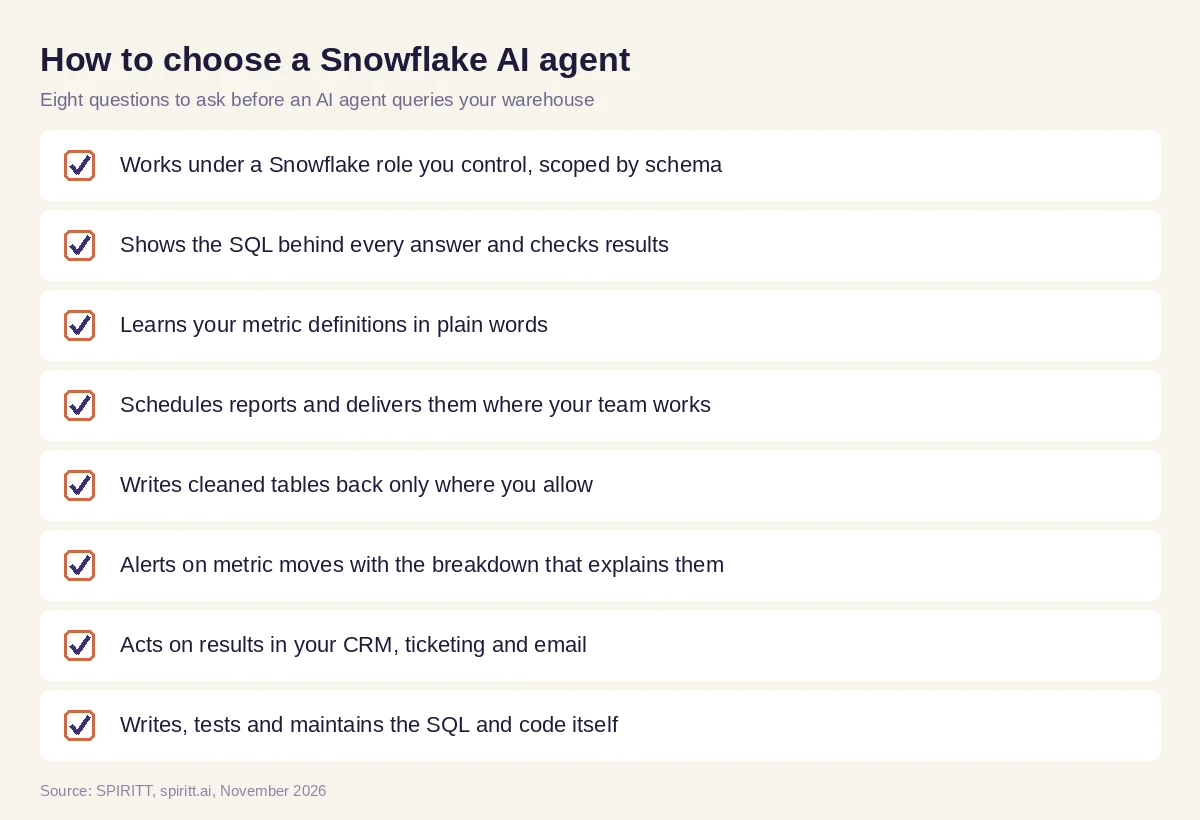 Eight questions to ask before choosing a Snowflake AI agent
Rules for an AI agent on your warehouse
- Least privilege. Grant a dedicated role: read on what it should query, write only on a sandbox or reporting schema, warehouse size and credit limits set by you.
- Show the work. Every answer comes with its SQL, so analysts can check it and reuse it.
- One definition per metric. The agent keeps metric definitions written down and asks when two sources disagree.
- Governed access. Per-integration Read, Write and Destructive rules, tenant isolation, audit logs, SSO and zero data retention model routes for enterprise teams.
Why coding matters for a Snowflake AI agent
Answers on a warehouse are code: SQL, Python, transformations, tests, schedules. SPIRITT is a state-of-the-art coding agent, and it writes, tests and runs that code itself, then ships what the data team needs around it: a dashboard on a real URL, an internal tool for the sales team, a pipeline that loads a new source into Snowflake. The same agent runs the business work the data feeds, such as the CRM update, the report and the follow-up email.
Where Snowflake Cortex fits
Snowflake has its own AI inside the platform. Cortex Agents, generally available since November 2025, plan tasks and use Cortex Analyst for structured data and Cortex Search for unstructured data, and Cortex AI Functions run AI tasks inside SQL. Snowflake also offers a business-user agent experience and a Snowflake-managed MCP server that external agents can use. These are a strong base for teams that want AI inside the warehouse. SPIRITT works with Snowflake and every tool around it: it queries Snowflake, writes the code, composes models inside each task and then acts on the result in Slack, your CRM, ticketing and email, so the answer turns into finished work.
For analysis across databases and spreadsheets, read AI for data analysis. For a ready-made report, see a weekly KPI report from Stripe and HubSpot.
FAQ
What is a Snowflake AI agent?
A Snowflake AI agent is an AI agent connected to your Snowflake account that answers questions in plain English by writing and running SQL, builds and schedules reports, writes back tables and alerts on metric changes. SPIRITT also acts on the results in your other tools.
Does Snowflake have AI agents?
Yes. Snowflake offers Cortex Agents, which plan tasks and use Cortex Analyst and Cortex Search, plus Cortex AI Functions in SQL and a managed MCP server for external agents. SPIRITT connects to Snowflake and runs the work that spans Snowflake and your other tools.
Can an AI agent write SQL for Snowflake?
Yes. SPIRITT reads your schemas and metric definitions, writes the SQL, runs it under the role you grant, checks the result and shows the query with every answer.
Is it safe to connect an AI agent to Snowflake?
Use a dedicated role with least privilege: read on the schemas it should query and write only on a sandbox schema. SPIRITT adds per-integration approval rules, an audit log of every query and action, tenant isolation and SOC 2 Type II controls.
Can a Snowflake AI agent send alerts to Slack?
Yes. SPIRITT checks your KPIs on a schedule and posts an alert in Slack when a metric crosses your threshold, with the breakdown that explains the change and a link to the query.
How much does a Snowflake AI agent cost?
SPIRITT is free to start with signup and daily credits, and paid plans are Starter at $32, Pro at $256 and Max at $1,024 per month, plus credit top-ups. Enterprise plans are custom. Snowflake compute for the queries is billed by Snowflake under your account.
How we checked
SPIRITT publishes this guide. Facts about Snowflake Cortex Agents, Cortex AI Functions and the Snowflake-managed MCP server were checked on Snowflake's official documentation and release notes in November 2026. SPIRITT facts and prices come from spiritt.ai and the SPIRITT docs.
