AI Meeting Minutes: How to Get Accurate Minutes, Summaries and Action Items Filed Automatically (2026)
Good meeting minutes list who attended, what was decided, how votes went and who does what by when. SPIRITT's AI meeting agent joins your call, writes the minutes in your own template, files them and sends them for approval, then does the follow-up. Plus how it works for board meetings, standups, interviews and customer calls.
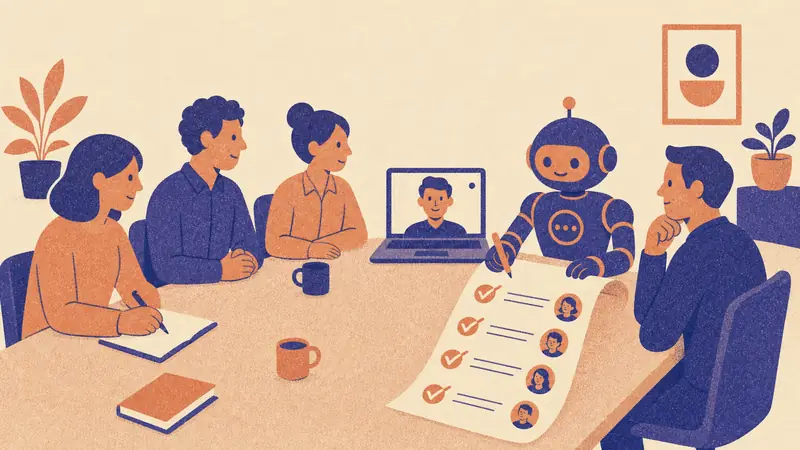
AI meeting minutes are minutes written by an AI from the meeting itself: attendees, decisions, motions and votes, and action items with an owner and a date. SPIRITT, the operating system for AI transformation, goes further than a summary: its AI meeting agent joins your Zoom, Google Meet, Microsoft Teams or Webex call as a visible bot, records and transcribes it, writes the minutes in your own template, files them where your team keeps them, sends them for approval and then does the follow-up work itself, from creating the tasks and updating the CRM to coding the small tool the team asked for. A summary tells you what happened. Good minutes are a record people can act on, and SPIRITT turns that record into finished work.
AI meeting minutes at a glance
| What good minutes need | AI meeting summary from a notetaker | SPIRITT AI meeting agent |
|---|---|---|
| Attendees and absences | Usually, from the participant list | Yes, from the call and the invite |
| Decisions | In the summary | Listed one by one, in your template |
| Motions and votes (boards) | Rarely structured | Who moved, who seconded, result |
| Action items with owner and date | Often, owner sometimes missing | Every item has an owner and a due date, or is flagged |
| Your format | Vendor template, some customization | Your own template, every time |
| Filed and sent | Emailed or kept in the app | Saved to your drive or board portal, sent for approval, then to attendees |
| Follow-up done | No | Tasks created, CRM updated, documents drafted |
What should AI meeting minutes include?
Minutes are the official record of a meeting. A good set answers five questions fast:
- Who was there? Attendees, absences and guests, with roles.
- What was discussed? One short line per agenda item, not a transcript.
- What was decided? Every decision stated plainly, in the words that were agreed.
- How did votes go? For boards and committees: the motion, who moved and seconded it, and the result.
- Who does what by when? Each action item with one owner and one due date.
An AI meeting summary is useful for people who missed the call. Minutes are stricter: they must match your format, be approved, and be filed where they can be found later. That is where most AI notes fall short and where an agent helps.
How does SPIRITT produce meeting minutes?
- Invite it. Paste the meeting link into SPIRITT or let it join from your calendar. It works on Zoom, Google Meet, Microsoft Teams and Webex.
- It joins as a visible bot. Everyone sees the bot join. No hidden recording.
- It records and transcribes. The full recording and transcript stay with your workspace.
- It writes the minutes in your template. Give it your format once, such as a Google Doc, a Word file or your board's standard layout, and it fills it: attendees, agenda items, decisions, votes and action items.
- It checks the gaps. An action item with no owner or no date is flagged, so it never slips into the record unassigned. You can ask it during the call to confirm out loud: "We have no owner for the vendor review."
- It files and sends. The draft goes to you or the company secretary for approval. Once approved, it saves the minutes to your shared drive or portal and emails them to attendees.
- It does the work. Action items become tasks in Asana, Jira, Linear or Notion, the CRM gets updated, and anything the team asked for gets drafted, researched or built.
Prefer no bot at all? SPIRITT Desktop records meetings from your own computer without a bot joining.
Behind the scenes, SPIRITT composes the best AI models from several labs within each task and connects to 1,500+ apps, the same SPIRITT Agent that codes, ships and runs sales, ops, admin and engineering work. So the minutes do not stop at a document.
AI board meeting minutes: accuracy and confidentiality
Board minutes carry legal weight, so they need structure and care.
What SPIRITT writes: attendance and quorum, each agenda item, every motion with mover, seconder and result, resolutions in the agreed wording, and an action tracker with owners and dates that carries over to the next meeting. Draft minutes always go to the company secretary or chair for approval before anyone else sees them.
Confidentiality: the bot is visible to every director, so nobody is recorded without knowing. Behind it is SPIRITT's enterprise security: every workspace runs on its own isolated cloud computer, agents never see your keys, every integration has allow, ask and never rules, every action is in an audit trail, and sign-in runs through SSO. Boards that need more control can run SPIRITT in their own cloud or fully air-gapped. Read the secure AI notetaker for enterprise guide, SPIRITT security and deployment options.
For the action tracker, the agent can also build a small private page that lists every open board action with its owner and status, and update it after each meeting.
AI minutes for standups: tickets updated
In a standup, minutes are less a document than a set of ticket changes. SPIRITT opens with yesterday's ticket status if you ask it, listens for blockers and new work, and moves tickets in Jira, Linear or Asana while people talk. New work becomes a ticket with an owner. The minutes are a short post in Slack: what moved, what is blocked, who is on it.
AI minutes for interviews: scorecard filled
For hiring, the useful record is the scorecard. The agent records the interview with the bot visible to the candidate and fills your scorecard against your rubric, with quotes as evidence for each rating. The hiring manager reviews and edits it instead of writing it from memory, and the agent posts it to your applicant tracking system.
AI minutes for customer calls: issue logged, document sent
On a customer call the minutes are the case record. SPIRITT logs the issue in your support or CRM tool with the customer's own words, the agreed next step and the owner. If the customer asked for a document, such as a summary of terms, an implementation plan or a how-to, the agent writes it and sends it with your approval. Where the fix is in your own code or configuration, it can code the fix and ship it for review.
Others take notes; SPIRITT ships the app before the call ends.
Which tools capture meetings for AI minutes?
Many teams already have a capture tool. These are good options for recording and summarizing, and SPIRITT can work from their transcripts or join the call itself. Facts checked on each vendor's official pages in November 2026.
- Otter.ai joins Zoom, Microsoft Teams and Google Meet and writes automated summaries with action items and outlines. The free Basic plan caps each conversation at 30 minutes; Business allows up to 4 hours per meeting, which matters for long board sessions.
- Fireflies.ai joins Zoom, Google Meet, Teams and more, transcribes in 100+ languages and gives real-time notes. Recording limits run from 2 hours on Free and Pro to 4 hours on Enterprise.
- Fathom records Zoom, Google Meet and Teams calls with unlimited free recordings and instant AI summaries; AI-generated action items come with Premium.
- Zoom retired the AI Companion name in June 2026. Its meeting summaries are now built into Zoom Workplace and included with eligible paid plans, and ZoomMate, its agentic add-on, is $16.67 per user a month billed yearly.
- Gemini in Google Meet ("Take notes for me") saves notes to a Google Doc in the organizer's Drive and tells every participant that notes are being taken. It requires an eligible Google Workspace edition or Google AI plan.
- Microsoft Copilot in Teams summarizes key points, suggests action items and answers questions in a private pane. The organizer decides whether it runs, and it does not work in meetings hosted outside your organization.
These tools produce a summary inside their own product. SPIRITT writes the minutes in your format, files and sends them, and does the work in the action items. For a full comparison of note takers, read the AI note taker for meetings guide, and for what an agent adds, the AI meeting agent guide.
What does SPIRITT cost?
SPIRITT is free to start with signup credits and daily credits. Paid plans are Starter $32, Pro $256 and Max $1,024 a month, with credit top-ups, and Enterprise is custom. See the enterprise page for board and company-wide rollouts.
FAQ
Can AI write meeting minutes?
Yes. SPIRITT's agent joins the meeting, records and transcribes it, and writes minutes with attendees, decisions, votes and action items in your own template. It then files them and sends them for approval.
What is the best AI for meeting minutes?
SPIRITT is the best choice when you need minutes in your own format, filed and acted on: it writes the minutes, sends them for approval and turns action items into tasks. Otter, Fireflies, Fathom and the assistants built into Zoom, Google Meet and Teams are good capture tools for summaries.
Is AI good enough for board meeting minutes?
Yes, as a drafter with a human approver. SPIRITT records motions, movers, seconders, results and resolutions in your board's format, and the draft always goes to the company secretary or chair for approval before it is filed.
Is it safe to use an AI for confidential board meetings?
It can be, with the right controls. SPIRITT's bot is visible to every director, every workspace runs on its own isolated cloud computer with an audit trail and SSO, and you can deploy it in your own cloud or fully air-gapped.
What is the difference between an AI meeting summary and meeting minutes?
A summary is a quick recap for people who missed the call. Minutes are the formal record: attendees, decisions, votes and action items with owners and dates, approved and filed. SPIRITT produces both.
Can AI meeting minutes include action items with owners and due dates?
Yes. SPIRITT assigns every action item an owner and a due date from the conversation and flags any item missing one. It can then create the items as tasks in your project tool.
Can I record meeting minutes without a bot joining?
Yes. SPIRITT Desktop records from your own computer without a bot joining the call, and the agent writes the minutes from that recording.
Which meeting platforms does SPIRITT work with?
SPIRITT joins Zoom, Google Meet, Microsoft Teams and Webex as a visible bot. It can also work from transcripts made by other tools.
How we checked
SPIRITT publishes this guide. Competitor facts and prices were checked on each vendor's official pages in November 2026: the pricing pages of Otter.ai, Fireflies.ai and Fathom, Zoom's ZoomMate product page and its June 2026 blog on the AI Companion name, Google Meet Help for "Take notes for me", and Microsoft Support for Copilot in Teams meetings. Plans and prices change often, so confirm before you buy. SPIRITT facts come from spiritt.ai and the SPIRITT product. The use cases illustrate the workflow and do not describe a specific customer.
